
How to add logo to the Tour?

Andrea
Last Update 5 months ago
You can easily include your company logo in every virtual tour you create. Displaying your logo directly within the tour interface helps to promote your business and ensures continuous brand recognition for your viewers.
Select Virtual Tours -> List Tours from the side menu and click the Edit button on the desired tour.

Go to tab Content / Logo.

Upload the image of the logo and you can optionally choose to add an hyperlink to it.

Click Save on top of the page.
You can adjust the size and position of the logo inside the Editor UI.
Select Virtual Tours -> Editor UI from the side menu. Click on the Logo box.
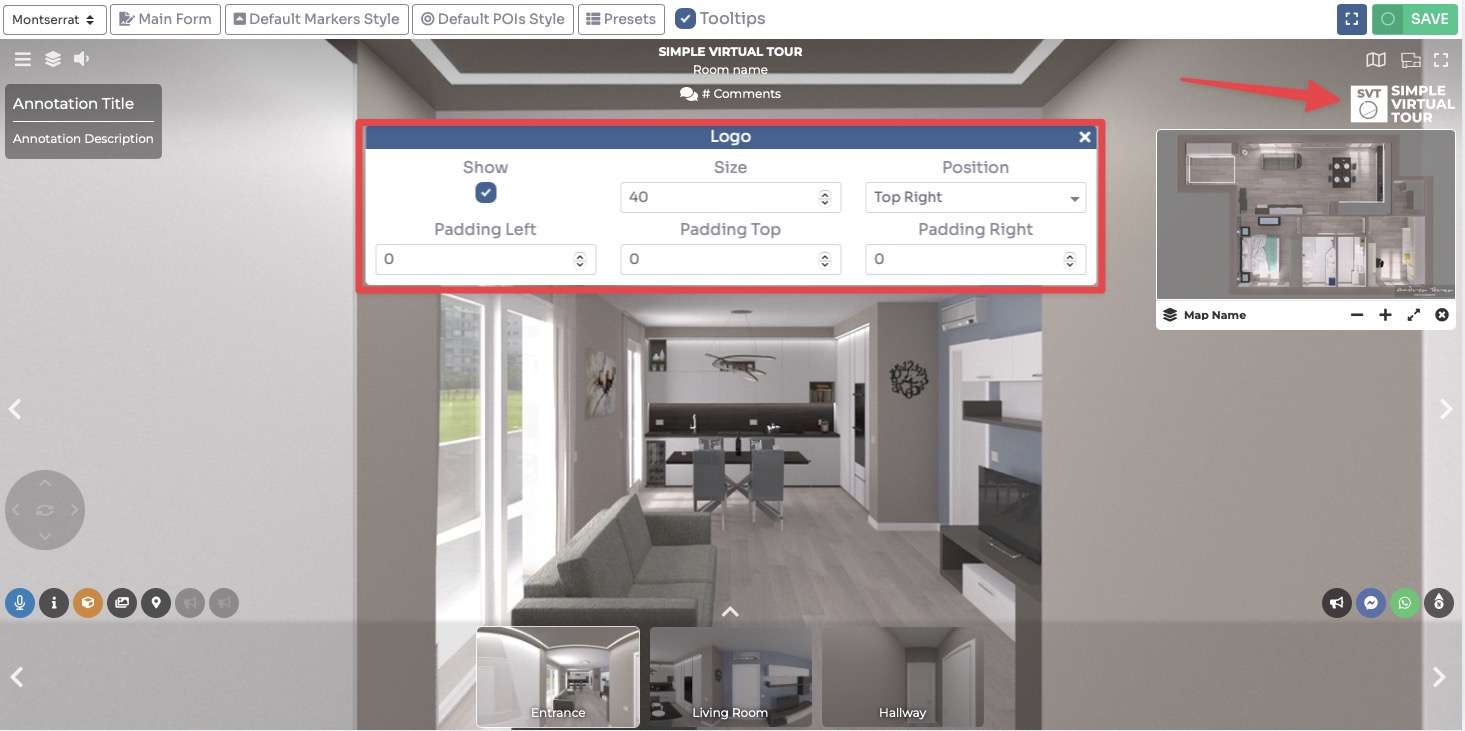
Click Save on top right corner of the page.